AnyShare-office online 服务器关闭系统日志最佳实践
关键字
office online、日志
适用产品
- AnyShare Enterprise 7.0.x.x
- AnyShare Express 7.0.x.x
- AnyShare Enterprise 6.0.x
- AnyShare Express 6.0.x
目的
通过此最佳实践,关闭 office online 服务器系统日志,避免发生日志占用大量空间导致 C 盘空间不足的情况。
解决方案
1.使用域管理员帐号登录 OfficeOnline 服务器,用管理员权限运行 Windows PowerShell,获取当前配置;
Get-OfficeWebAppsFarm
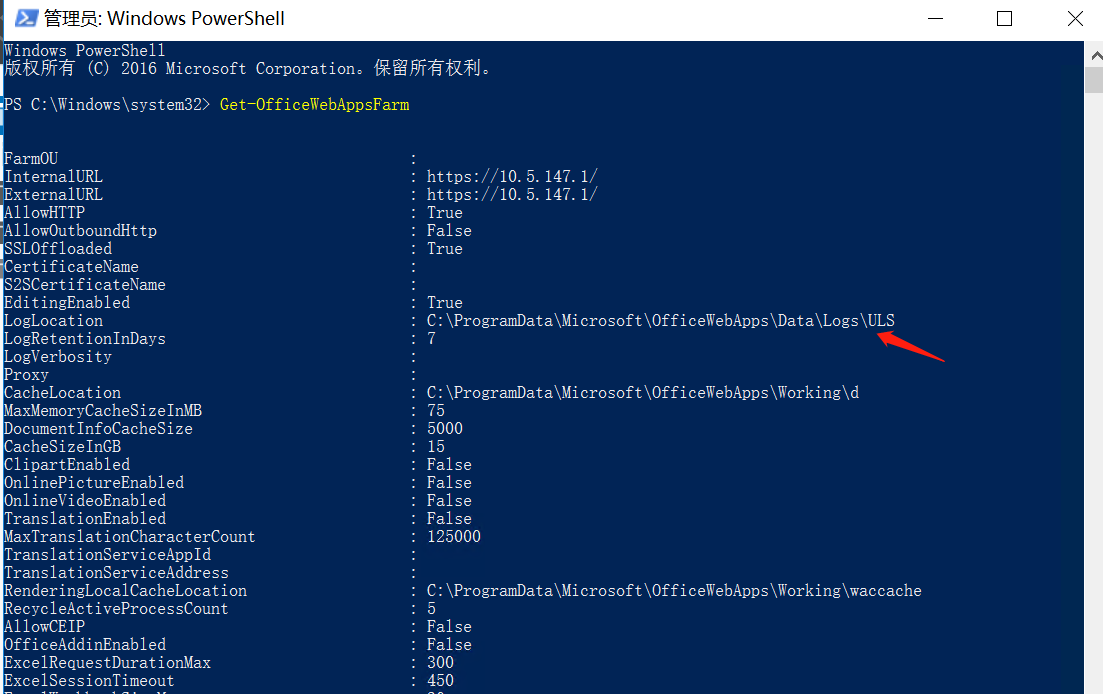
2.关闭调试日志;
Set-OfficeWebAppsFarm -LogVerbosity None
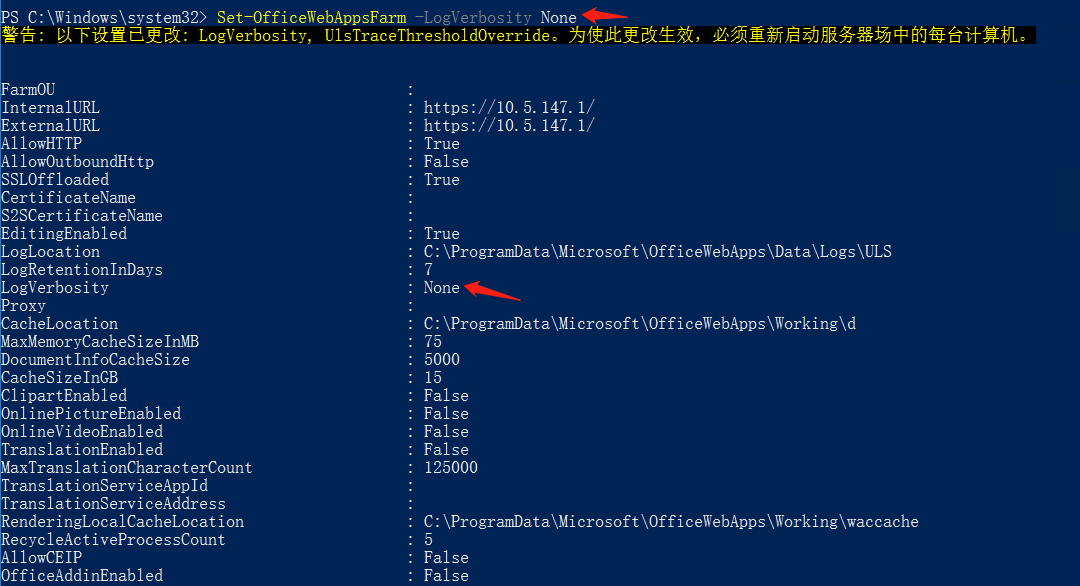
3.重启 office online 服务器使配置生效。
警告:重启 office online 服务器期间,无法提供在线预览编辑功能,需要协调具体停机时间后再操作。
更多信息
更多的 Office Online Server 相关知识请参考: 微软 Office Online Sever 官网 。