AnyShare-卸载 Windows 客户端时,提示错误信息:文件 unins000.bat 不存在,无法卸载。
关键字
unins000、卸载客户端
适用产品
- AnyShare 5.0.x
- AnyShare Express 6.0.x
- AnyShare Enterprise 6.0.x
问题描述
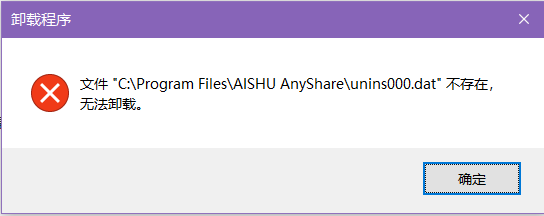
在卸载 Windows 客户端时,提示错误信息:
文件 "C:\Program Files\AISHU AnyShare\unins000.dat"不存在,无法卸载。
问题影响
无法卸载 Windows 客户端。
问题原因
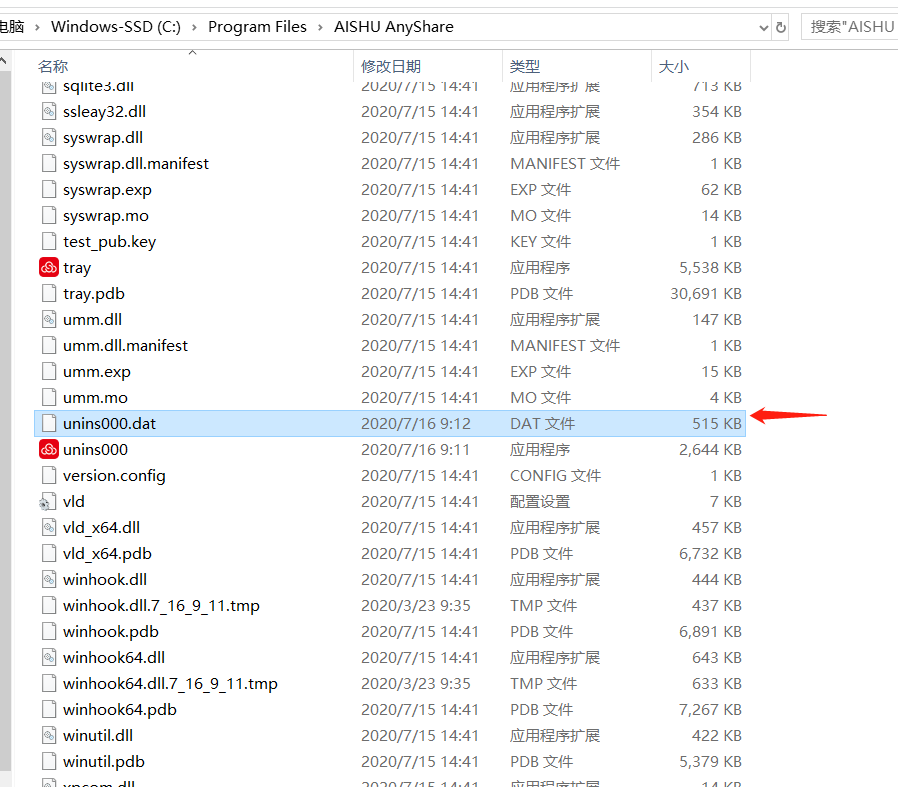
在卸载 Windows 客户端时,需要调用 unins000.dat 文件,如缺失这个文件,则会出现上述问题。
解决方案
为了解决此问题,需要复制 unins000.dat 至 Windows 客户端安装目录下,请按照以下步骤执行:
1. 将相同位数(64/x86) Windows 客户端安装目录下的 unins000.dat 复制到问题环境客户端安装目录下。
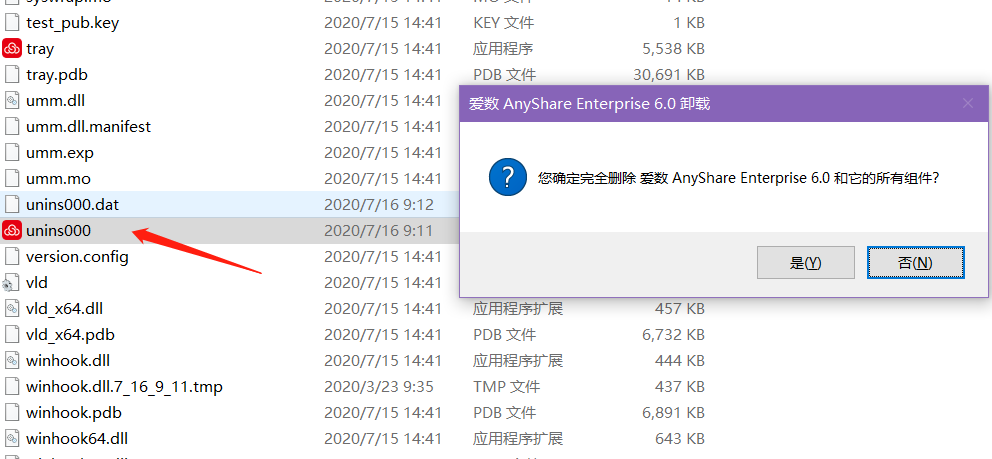
2. 执行 unins000.exe。
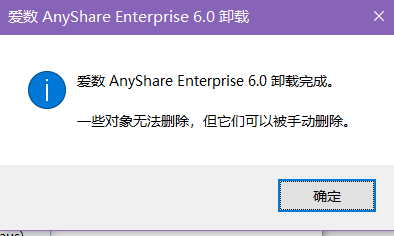
3.卸载完成。
更多信息
unins000.dat 记录卸载程序所需要卸载的文件,需要和 unins000.exe 处于同一文件夹下执行。